Keyboards
-
 Arion Frost x Keychron K8 ProProduct on saleOriginal price was: ₹15,000.00.₹7,999.00Current price is: ₹7,999.00. ( incl. GST )
 -
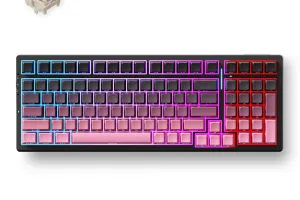 MCHOSE G98 Pro Mechanical KeyboardProduct on saleOriginal price was: ₹11,000.00.₹10,000.00Current price is: ₹10,000.00. ( incl. GST )
 -
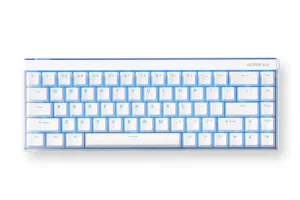 MCHOSE ACE 68 AIRProduct on salePrice range: ₹7,400.00 through ₹9,000.00 ( incl. GST )
 -
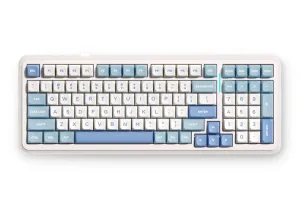 MCHOSE K99 V2Product on salePrice range: ₹8,600.00 through ₹10,600.00 ( incl. GST )
 -
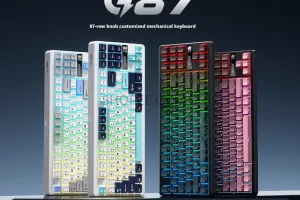 MCHOSE G87 WirelessProduct on salePrice range: ₹7,000.00 through ₹8,000.00 ( incl. GST )
 -
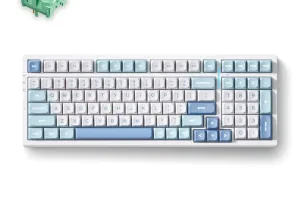 MCHOSE G98 Mechanical KeyboardProduct on saleOriginal price was: ₹10,720.00.₹7,400.00Current price is: ₹7,400.00. ( incl. GST )
 -
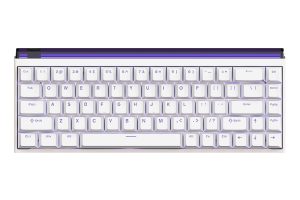 Madlions Nano 68/68 PROProduct on salePrice range: ₹5,200.00 through ₹6,999.00 ( incl. GST )
 -
 Royal Kludge RK R87 PROProduct on saleOriginal price was: ₹10,500.00.₹5,599.00Current price is: ₹5,599.00. ( incl. GST )
Mouse
-
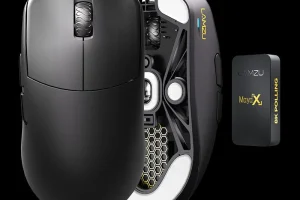 Lamzu Maya XProduct on saleOriginal price was: ₹22,500.00.₹11,999.00Current price is: ₹11,999.00. ( incl. GST )
 -
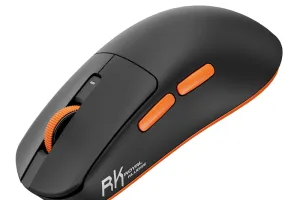 ROYAL KLUDGE M30Product on salePrice range: ₹2,799.00 through ₹2,899.00 ( incl. GST )
 -
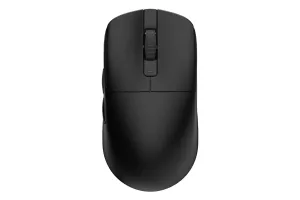 ROYAL KLUDGE M3Product on saleOriginal price was: ₹10,900.00.₹5,799.00Current price is: ₹5,799.00. ( incl. GST )
 -
 Lamzu Thorn (4K Compatible)Product on saleOriginal price was: ₹15,000.00.₹9,500.00Current price is: ₹9,500.00. ( incl. GST )
 -
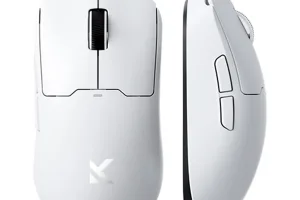 MCHOSE A5V2 UltraProduct on saleOriginal price was: ₹8,800.00.₹4,699.00Current price is: ₹4,699.00. ( incl. GST )
 -
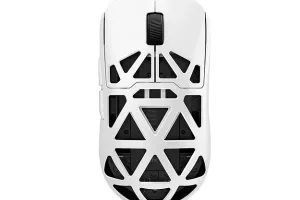 MCHOSE AX5V2Product on saleOriginal price was: ₹16,500.00.₹8,799.00Current price is: ₹8,799.00. ( incl. GST )
 -
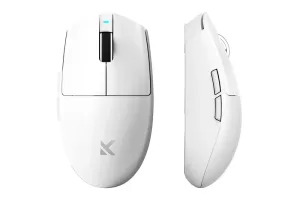 MCHOSE G3 V2 SeriesProduct on salePrice range: ₹2,099.00 through ₹3,399.00 ( incl. GST )
 -
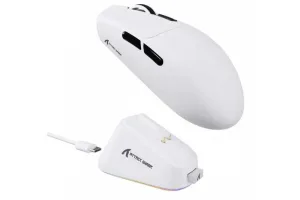 ATTACK SHARK G3 ProProduct on saleOriginal price was: ₹5,400.00.₹2,899.00Current price is: ₹2,899.00. ( incl. GST )
BEYOND THE KEYS – EXPLORE MORE!
Mc Horror III Revisiting a Cult Horror Game in the Shadow of Michael Jackson’s Legacy
When Pop Culture and Horror Unexpectedly Collide Horror games have always drawn inspiration from unexpected places. Some take ideas from urban legends, others from internet folklore, and a few from cultural icons whose larger than life presence already feels almost mythical. Mc Horror III belongs to that unusual category as part of Fortnite. Rather than presenting a traditional horror story filled with monsters and haunted locations, the game builds its atmosphere around distorted celebrity imagery, psychological tension, and an overwhelming sense of unease. Its connection to Michael Jackson is not based on celebrating the performer directly, but on reimagining familiar visual references in a way that feels strange, surreal, and unsettling. This unusual concept helped the game gain attention among horror fans looking for something different from conventional jump scare experiences. Why the Game Stood Out? One reason Mc Horror III developed a cult following was its ability to create fear through familiarity. Players immediately recognize elements that seem connected to popular culture, yet everything feels slightly altered and distorted. The game uses atmosphere more than action. Empty hallways, strange sounds, and unpredictable encounters create tension that slowly builds over time. Instead of relying entirely on loud scares, it focuses on making players feel uncomfortable through uncertainty. That approach gives the experience a unique identity. Players are not simply reacting to monsters appearing on screen. They are constantly questioning what they are seeing and what might happen next. The Influence of Internet Horror Culture The rise of internet horror played a major role in shaping games like Mc Horror III. Over the years, online communities have transformed familiar images, memes, and public figures into strange horror stories and urban legends. The game embraces that tradition. It feels less like a mainstream horror title and more like an interactive internet nightmare. The experience captures the same energy that made many early creepypasta stories so memorable. Familiar subjects are presented in unfamiliar ways, creating a sense of discomfort that lingers even after the game ends. This connection to internet culture helped the game spread rapidly through videos, livestreams, and online discussions. Looking at the Game Through a Modern Lens The recent release of a biography centered on Michael Jackson has encouraged many people to revisit different aspects of his cultural influence. While most conversations naturally focus on music and performance, projects like Mc Horror III demonstrate how deeply his image became embedded within global popular culture. Few entertainers have inspired such a wide range of creative interpretations across different forms of media. Music, documentaries, games, internet stories, and fan communities have all drawn from the larger than life presence that surrounded Jackson throughout his career. Viewed today, Mc Horror III feels less like a simple horror game and more like an example of how modern internet culture transforms public figures into entirely new forms of storytelling. Atmosphere Over Action Unlike many modern horror games that emphasize combat or survival mechanics, Mc Horror III focuses primarily on atmosphere. The game encourages players to explore carefully, pay attention to environmental details, and absorb the tension created by its world. Dark environments, distorted audio, and unpredictable events combine to create an experience that feels psychological rather than purely action driven. The fear comes from not knowing what is waiting around the next corner. This slower approach has helped the game remain memorable for players who appreciate horror that relies on mood and suspense rather than constant intensity. Why Cult Horror Games Continue to Matter Games like Mc Horror III often survive because they offer something mainstream releases cannot. They experiment with unusual ideas and embrace creative risks that larger projects may avoid. Even years after release, these games continue to be discussed because of the emotions they create. Players remember how strange they felt, how unexpected certain moments were, and how different the overall experience seemed compared to traditional horror titles. The game's lasting appeal comes from its uniqueness. It does not try to imitate popular horror formulas. Instead, it builds its identity around surreal concepts and psychological discomfort. Final Thoughts The renewed attention surrounding Michael Jackson has led many fans to revisit not only his music and performances but also the unusual cultural works inspired by his legacy. Mc Horror III remains one of the more fascinating examples of how horror games can draw from familiar cultural imagery and transform it into something entirely different. Whether viewed as a cult horror experience, an internet era curiosity, or a creative experiment influenced by pop culture, the game continues to stand out because it refuses to feel ordinary. It reminds players that some of the most memorable horror experiences come not from what is
read moreBEYOND THE KEYS – EXPLORE MORE!
Arixa Frost Barebone A Custom Mechanical Keyboard Base for Enthusiasts
Built for Customization from the Start The Arixa Frost Barebone is created for users who enjoy the freedom of building their own setup. Unlike fully assembled keyboards, the barebone version does not include switches or keycaps. This gives users complete control over how the final keyboard looks and feels. For enthusiasts, this creates a more engaging experience. Instead of adjusting to a ready made configuration, users can choose every major component based on their preferences. From the sound of the switches to the style of the keycaps, the keyboard becomes something shaped by individual choice. This makes the Arixa Frost Barebone more than just an input device. It becomes the starting point of a personal build. Hot Swap Flexibility for Switch Exploration One of the strongest features of the Arixa Frost Barebone is its hot swappable design. The board supports most MX style 3 pin and 5 pin switches, which means users can experiment with a wide range of switch options without any soldering. This flexibility is especially valuable because preferences often change over time. Some users may begin with tactile switches for typing and later move to smoother linear switches for gaming. The ability to swap switches without replacing the board makes the keyboard more adaptable and more rewarding to own. For users entering the custom keyboard space, this feature lowers the barrier to experimentation and makes customization far more approachable. Wireless Freedom for Everyday Setups Modern workspaces often involve multiple devices, and wireless support makes managing them much easier. The Arixa Frost Barebone includes Bluetooth connectivity, allowing users to pair the keyboard with desktops, laptops, or tablets without the need for constant cable management. For those who prefer a wired setup, the detachable USB Type C cable offers a dependable alternative. This is useful for gaming sessions where stable connectivity is essential or for users who simply prefer the reliability of a wired connection. The ability to switch between wireless and wired modes ensures the keyboard fits naturally into a variety of setups. Full Control with QMK and VIA Customization goes beyond physical parts, and the Arixa Frost Barebone reflects that through support for QMK and VIA. These firmware platforms allow users to remap keys, assign shortcuts, and create layouts that match their own workflow. For professionals, this means simplifying repetitive tasks. For gamers, it means customizing controls to fit specific genres or titles. Since the keyboard can be programmed extensively, it adapts to the user rather than forcing the user to adapt to it. This level of software control adds another layer of personalization and makes the board suitable for a wide range of uses. A Practical Design for Long Term Use The Arixa Frost Barebone is built with long term usability in mind. Its sturdy construction provides a stable base for daily typing, gaming, and customization. A solid frame is particularly important for a barebone keyboard because many users will change switches and keycaps over time. A useful addition is the acrylic dust cover included with the board. Dust can slowly build up inside mechanical keyboards and affect both appearance and performance. Having a dedicated cover helps protect the keyboard when it is not in use and contributes to a cleaner setup. Small features like this make a noticeable difference over months and years of ownership. RGB That Complements Personal Builds Since the Arixa Frost Barebone allows users to choose their own keycaps and switches, RGB lighting becomes an important part of the final setup. The customizable backlighting allows users to create a look that matches their desk and personal style. Some may prefer subtle lighting for work environments, while others may build a vibrant gaming setup. Because the board is customizable in so many ways, the RGB becomes another part of the creative process rather than just an added feature. It enhances the overall build and makes the keyboard feel unique to the user. Comfortable for Gaming and Work Customization often attracts enthusiasts, but comfort is what keeps a keyboard practical for everyday use. The ergonomic design of the Arixa Frost Barebone ensures that the keyboard remains comfortable during long hours of typing or gaming. The layout feels natural enough for productivity while still being responsive for gaming. This makes it suitable for users who need a single keyboard for multiple purposes throughout the day. The balance between comfort and flexibility is one of its strongest qualities. A Keyboard That Reflects the User What makes the Arixa Frost Barebone stand out is the sense of ownership it offers. Once switches and keycaps are installed, the keyboard becomes something shaped entirely by the user. No two builds need to look or feel the same. This process creates a stronger connection with the device. It becomes more than a purchase and starts to feel like a project that evolves over time. As preferences change, the board can continue to adapt rather than being replaced. That long term flexibility is what makes barebone keyboards especially appealing to enthusiasts. Final Thoughts The Arixa Frost Barebone offers an excellent foundation for anyone interested in building a personalized mechanical keyboard. With hot swap support, wireless flexibility, firmware customization, and a practical ergonomic design, it gives users everything they need to create a setup that feels uniquely their own. For users who enjoy exploring switches, keycaps, and layouts, it provides a rewarding experience that goes beyond a standard prebuilt keyboard. It is not simply a product to use out of the box, but a platform that allows creativity, experimentation, and long term customization.
read moreBEYOND THE KEYS – EXPLORE MORE!
Discover Keychron K8 Pro- Your Next Gen Keyboard
A Special Edition That Feels Distinct The Arixa Frost x Keychron K8 Pro brings a fresh identity to an already well regarded mechanical keyboard. Built on the reliable foundation of the Keychron K8 Pro, this special edition introduces a more refined experience for users who appreciate both functionality and design. What stands out immediately is the balance it strikes between practicality and enthusiast appeal. It is the kind of keyboard that works equally well in a professional workspace and in a gaming setup, offering a premium feel without sacrificing everyday convenience. Wireless Flexibility for Modern Setups One of the strongest advantages of this keyboard is the freedom it offers through wireless connectivity. Bluetooth support makes it easy to connect to multiple devices, whether that means switching between a desktop at work, a laptop for study, or a tablet for casual use. The wireless performance feels dependable, making it practical for both regular typing and gaming. For users who still prefer a direct connection, the detachable USB Type C cable ensures that switching to wired mode is simple. This dual connectivity makes the keyboard adaptable to almost any setup. A clean desk setup often starts with reducing unnecessary cables, and this keyboard makes that transition effortless. Built for Customization with Hot Swap Support Arixa Frost x Keychron K8 Pro is particularly appealing to users who enjoy customizing their typing experience. Its hot swappable design allows switches to be replaced without soldering, which makes experimenting with different switch types accessible even for beginners. The keyboard comes equipped with Gateron G Pro 3.0 switches, which offer a refined and smooth typing experience. At the same time, compatibility with almost all MX style 3 pin and 5 pin switches means users can personalize the board according to their own preference. This makes the keyboard feel less like a fixed product and more like a platform that evolves with the user. Someone who begins with one switch style can easily explore new options over time without replacing the entire board. Premium Construction for Long Term Use A keyboard used every day needs to feel reliable, and the aluminum frame on the Arixa Frost x Keychron K8 Pro gives it exactly that sense of solidity. The sturdy construction adds both durability and stability, making the board feel secure during long work sessions or intense gaming. The additional acrylic dust cover is a practical feature that many users will appreciate over time. Dust is one of the most common causes of wear in mechanical keyboards, especially when used daily. Protecting the keyboard when it is not in use helps preserve both its appearance and performance. This thoughtful addition makes it clear that the keyboard is designed for long term ownership rather than temporary novelty. Deep Customization Through QMK and VIA One of the most powerful features of this keyboard lies in its software support. Compatibility with QMK and VIA allows users to customize key layouts, assign macros, and remap functions according to their needs. For professionals, this opens possibilities for creating shortcuts that improve workflow. For gamers, it means configuring keys for specific game genres or optimizing commands for competitive titles. This level of customization turns the keyboard into something far more personal. Instead of adapting to a fixed layout, users can shape the keyboard around their own habits and routines. RGB That Enhances the Setup The customizable RGB lighting adds a modern visual element without overwhelming the overall design. Whether used as part of a minimalist setup or a more colorful gaming station, the lighting gives the keyboard a distinct presence. RGB is often considered a visual feature, but it also serves practical purposes such as easier typing in dim environments. On this keyboard, the lighting feels integrated naturally into the design rather than added as an afterthought. It allows users to express personality while maintaining the clean and professional look expected from a premium mechanical board. Comfortable for Work and Play The Arixa Frost x Keychron K8 Pro is designed to be comfortable during long hours of use. The ergonomic design helps reduce strain, which becomes particularly important for users who spend large portions of the day typing or gaming. During work, the layout feels natural and familiar, making it suitable for writing, coding, or office tasks. During gaming, the responsive switches and stable build ensure a reliable experience that feels precise and satisfying. This ability to transition between productivity and entertainment is what makes the keyboard stand out in everyday use. A Keyboard That Adapts Over Time Many keyboards are designed for a single purpose, but the Arixa Frost x Keychron K8 Pro feels flexible enough to grow alongside the user. A beginner can enjoy it as a premium ready to use mechanical keyboard, while enthusiasts can dive into switch swapping, firmware customization, and layout optimization. As preferences change, the keyboard can be adjusted rather than replaced. This adds value over time and makes it a more sustainable investment for anyone building a long term setup. Final Thoughts The Arixa Frost x Keychron K8 Pro succeeds because it combines multiple strengths into one complete package. Wireless convenience, hot swappable flexibility, durable construction, and deep customization all come together in a way that feels practical rather than excessive. For anyone looking for a keyboard that performs well for both productivity and gaming, it offers an impressive blend of comfort, adaptability, and long term reliability. More than just a special edition board, it is a keyboard that can continue to evolve with the person using it. Fancy this absolutely "Goated" Keyboard? Grab yours at Meckeys.
read moreMc Horror III Revisiting a Cult Horror Game in the Shadow of Michael Jackson’s Legacy
When Pop Culture and Horror Unexpectedly Collide Horror games have always drawn inspiration from unexpected places. Some take ideas from urban legends, others from internet folklore, and a few from cultural icons whose larger than life presence already feels almost mythical. Mc Horror III belongs to that unusual category as part of Fortnite. Rather than presenting a traditional horror story filled with monsters and haunted locations, the game builds its atmosphere around distorted celebrity imagery, psychological tension, and an overwhelming sense of unease. Its connection to Michael Jackson is not based on celebrating the performer directly, but on reimagining familiar visual references in a way that feels strange, surreal, and unsettling. This unusual concept helped the game gain attention among horror fans looking for something different from conventional jump scare experiences. Why the Game Stood Out? One reason Mc Horror III developed a cult following was its ability to create fear through familiarity. Players immediately recognize elements that seem connected to popular culture, yet everything feels slightly altered and distorted. The game uses atmosphere more than action. Empty hallways, strange sounds, and unpredictable encounters create tension that slowly builds over time. Instead of relying entirely on loud scares, it focuses on making players feel uncomfortable through uncertainty. That approach gives the experience a unique identity. Players are not simply reacting to monsters appearing on screen. They are constantly questioning what they are seeing and what might happen next. The Influence of Internet Horror Culture The rise of internet horror played a major role in shaping games like Mc Horror III. Over the years, online communities have transformed familiar images, memes, and public figures into strange horror stories and urban legends. The game embraces that tradition. It feels less like a mainstream horror title and more like an interactive internet nightmare. The experience captures the same energy that made many early creepypasta stories so memorable. Familiar subjects are presented in unfamiliar ways, creating a sense of discomfort that lingers even after the game ends. This connection to internet culture helped the game spread rapidly through videos, livestreams, and online discussions. Looking at the Game Through a Modern Lens The recent release of a biography centered on Michael Jackson has encouraged many people to revisit different aspects of his cultural influence. While most conversations naturally focus on music and performance, projects like Mc Horror III demonstrate how deeply his image became embedded within global popular culture. Few entertainers have inspired such a wide range of creative interpretations across different forms of media. Music, documentaries, games, internet stories, and fan communities have all drawn from the larger than life presence that surrounded Jackson throughout his career. Viewed today, Mc Horror III feels less like a simple horror game and more like an example of how modern internet culture transforms public figures into entirely new forms of storytelling. Atmosphere Over Action Unlike many modern horror games that emphasize combat or survival mechanics, Mc Horror III focuses primarily on atmosphere. The game encourages players to explore carefully, pay attention to environmental details, and absorb the tension created by its world. Dark environments, distorted audio, and unpredictable events combine to create an experience that feels psychological rather than purely action driven. The fear comes from not knowing what is waiting around the next corner. This slower approach has helped the game remain memorable for players who appreciate horror that relies on mood and suspense rather than constant intensity. Why Cult Horror Games Continue to Matter Games like Mc Horror III often survive because they offer something mainstream releases cannot. They experiment with unusual ideas and embrace creative risks that larger projects may avoid. Even years after release, these games continue to be discussed because of the emotions they create. Players remember how strange they felt, how unexpected certain moments were, and how different the overall experience seemed compared to traditional horror titles. The game's lasting appeal comes from its uniqueness. It does not try to imitate popular horror formulas. Instead, it builds its identity around surreal concepts and psychological discomfort. Final Thoughts The renewed attention surrounding Michael Jackson has led many fans to revisit not only his music and performances but also the unusual cultural works inspired by his legacy. Mc Horror III remains one of the more fascinating examples of how horror games can draw from familiar cultural imagery and transform it into something entirely different. Whether viewed as a cult horror experience, an internet era curiosity, or a creative experiment influenced by pop culture, the game continues to stand out because it refuses to feel ordinary. It reminds players that some of the most memorable horror experiences come not from what is
read moreArixa Frost Barebone A Custom Mechanical Keyboard Base for Enthusiasts
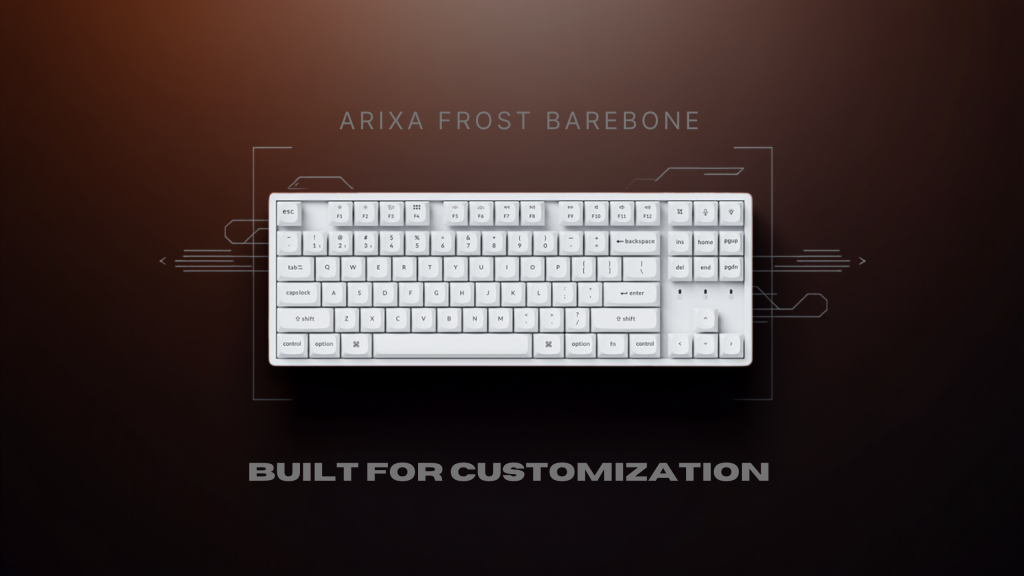
Built for Customization from the Start The Arixa Frost Barebone is created for users who enjoy the freedom of building their own setup. Unlike fully assembled keyboards, the barebone version does not include switches or keycaps. This gives users complete control over how the final keyboard looks and feels. For enthusiasts, this creates a more engaging experience. Instead of adjusting to a ready made configuration, users can choose every major component based on their preferences. From the sound of the switches to the style of the keycaps, the keyboard becomes something shaped by individual choice. This makes the Arixa Frost Barebone more than just an input device. It becomes the starting point of a personal build. Hot Swap Flexibility for Switch Exploration One of the strongest features of the Arixa Frost Barebone is its hot swappable design. The board supports most MX style 3 pin and 5 pin switches, which means users can experiment with a wide range of switch options without any soldering. This flexibility is especially valuable because preferences often change over time. Some users may begin with tactile switches for typing and later move to smoother linear switches for gaming. The ability to swap switches without replacing the board makes the keyboard more adaptable and more rewarding to own. For users entering the custom keyboard space, this feature lowers the barrier to experimentation and makes customization far more approachable. Wireless Freedom for Everyday Setups Modern workspaces often involve multiple devices, and wireless support makes managing them much easier. The Arixa Frost Barebone includes Bluetooth connectivity, allowing users to pair the keyboard with desktops, laptops, or tablets without the need for constant cable management. For those who prefer a wired setup, the detachable USB Type C cable offers a dependable alternative. This is useful for gaming sessions where stable connectivity is essential or for users who simply prefer the reliability of a wired connection. The ability to switch between wireless and wired modes ensures the keyboard fits naturally into a variety of setups. Full Control with QMK and VIA Customization goes beyond physical parts, and the Arixa Frost Barebone reflects that through support for QMK and VIA. These firmware platforms allow users to remap keys, assign shortcuts, and create layouts that match their own workflow. For professionals, this means simplifying repetitive tasks. For gamers, it means customizing controls to fit specific genres or titles. Since the keyboard can be programmed extensively, it adapts to the user rather than forcing the user to adapt to it. This level of software control adds another layer of personalization and makes the board suitable for a wide range of uses. A Practical Design for Long Term Use The Arixa Frost Barebone is built with long term usability in mind. Its sturdy construction provides a stable base for daily typing, gaming, and customization. A solid frame is particularly important for a barebone keyboard because many users will change switches and keycaps over time. A useful addition is the acrylic dust cover included with the board. Dust can slowly build up inside mechanical keyboards and affect both appearance and performance. Having a dedicated cover helps protect the keyboard when it is not in use and contributes to a cleaner setup. Small features like this make a noticeable difference over months and years of ownership. RGB That Complements Personal Builds Since the Arixa Frost Barebone allows users to choose their own keycaps and switches, RGB lighting becomes an important part of the final setup. The customizable backlighting allows users to create a look that matches their desk and personal style. Some may prefer subtle lighting for work environments, while others may build a vibrant gaming setup. Because the board is customizable in so many ways, the RGB becomes another part of the creative process rather than just an added feature. It enhances the overall build and makes the keyboard feel unique to the user. Comfortable for Gaming and Work Customization often attracts enthusiasts, but comfort is what keeps a keyboard practical for everyday use. The ergonomic design of the Arixa Frost Barebone ensures that the keyboard remains comfortable during long hours of typing or gaming. The layout feels natural enough for productivity while still being responsive for gaming. This makes it suitable for users who need a single keyboard for multiple purposes throughout the day. The balance between comfort and flexibility is one of its strongest qualities. A Keyboard That Reflects the User What makes the Arixa Frost Barebone stand out is the sense of ownership it offers. Once switches and keycaps are installed, the keyboard becomes something shaped entirely by the user. No two builds need to look or feel the same. This process creates a stronger connection with the device. It becomes more than a purchase and starts to feel like a project that evolves over time. As preferences change, the board can continue to adapt rather than being replaced. That long term flexibility is what makes barebone keyboards especially appealing to enthusiasts. Final Thoughts The Arixa Frost Barebone offers an excellent foundation for anyone interested in building a personalized mechanical keyboard. With hot swap support, wireless flexibility, firmware customization, and a practical ergonomic design, it gives users everything they need to create a setup that feels uniquely their own. For users who enjoy exploring switches, keycaps, and layouts, it provides a rewarding experience that goes beyond a standard prebuilt keyboard. It is not simply a product to use out of the box, but a platform that allows creativity, experimentation, and long term customization.
read moreDiscover Keychron K8 Pro- Your Next Gen Keyboard
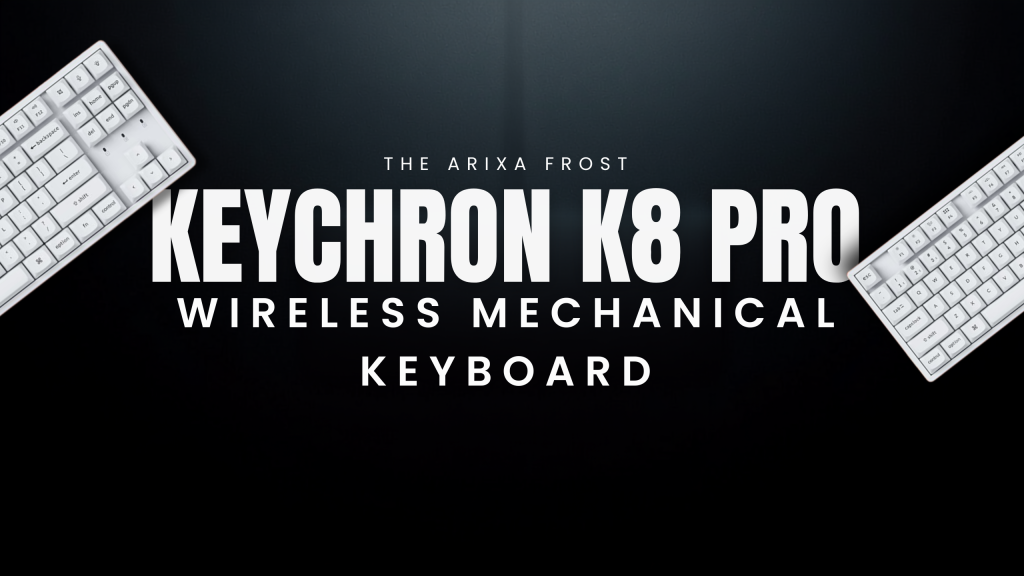
A Special Edition That Feels Distinct The Arixa Frost x Keychron K8 Pro brings a fresh identity to an already well regarded mechanical keyboard. Built on the reliable foundation of the Keychron K8 Pro, this special edition introduces a more refined experience for users who appreciate both functionality and design. What stands out immediately is the balance it strikes between practicality and enthusiast appeal. It is the kind of keyboard that works equally well in a professional workspace and in a gaming setup, offering a premium feel without sacrificing everyday convenience. Wireless Flexibility for Modern Setups One of the strongest advantages of this keyboard is the freedom it offers through wireless connectivity. Bluetooth support makes it easy to connect to multiple devices, whether that means switching between a desktop at work, a laptop for study, or a tablet for casual use. The wireless performance feels dependable, making it practical for both regular typing and gaming. For users who still prefer a direct connection, the detachable USB Type C cable ensures that switching to wired mode is simple. This dual connectivity makes the keyboard adaptable to almost any setup. A clean desk setup often starts with reducing unnecessary cables, and this keyboard makes that transition effortless. Built for Customization with Hot Swap Support Arixa Frost x Keychron K8 Pro is particularly appealing to users who enjoy customizing their typing experience. Its hot swappable design allows switches to be replaced without soldering, which makes experimenting with different switch types accessible even for beginners. The keyboard comes equipped with Gateron G Pro 3.0 switches, which offer a refined and smooth typing experience. At the same time, compatibility with almost all MX style 3 pin and 5 pin switches means users can personalize the board according to their own preference. This makes the keyboard feel less like a fixed product and more like a platform that evolves with the user. Someone who begins with one switch style can easily explore new options over time without replacing the entire board. Premium Construction for Long Term Use A keyboard used every day needs to feel reliable, and the aluminum frame on the Arixa Frost x Keychron K8 Pro gives it exactly that sense of solidity. The sturdy construction adds both durability and stability, making the board feel secure during long work sessions or intense gaming. The additional acrylic dust cover is a practical feature that many users will appreciate over time. Dust is one of the most common causes of wear in mechanical keyboards, especially when used daily. Protecting the keyboard when it is not in use helps preserve both its appearance and performance. This thoughtful addition makes it clear that the keyboard is designed for long term ownership rather than temporary novelty. Deep Customization Through QMK and VIA One of the most powerful features of this keyboard lies in its software support. Compatibility with QMK and VIA allows users to customize key layouts, assign macros, and remap functions according to their needs. For professionals, this opens possibilities for creating shortcuts that improve workflow. For gamers, it means configuring keys for specific game genres or optimizing commands for competitive titles. This level of customization turns the keyboard into something far more personal. Instead of adapting to a fixed layout, users can shape the keyboard around their own habits and routines. RGB That Enhances the Setup The customizable RGB lighting adds a modern visual element without overwhelming the overall design. Whether used as part of a minimalist setup or a more colorful gaming station, the lighting gives the keyboard a distinct presence. RGB is often considered a visual feature, but it also serves practical purposes such as easier typing in dim environments. On this keyboard, the lighting feels integrated naturally into the design rather than added as an afterthought. It allows users to express personality while maintaining the clean and professional look expected from a premium mechanical board. Comfortable for Work and Play The Arixa Frost x Keychron K8 Pro is designed to be comfortable during long hours of use. The ergonomic design helps reduce strain, which becomes particularly important for users who spend large portions of the day typing or gaming. During work, the layout feels natural and familiar, making it suitable for writing, coding, or office tasks. During gaming, the responsive switches and stable build ensure a reliable experience that feels precise and satisfying. This ability to transition between productivity and entertainment is what makes the keyboard stand out in everyday use. A Keyboard That Adapts Over Time Many keyboards are designed for a single purpose, but the Arixa Frost x Keychron K8 Pro feels flexible enough to grow alongside the user. A beginner can enjoy it as a premium ready to use mechanical keyboard, while enthusiasts can dive into switch swapping, firmware customization, and layout optimization. As preferences change, the keyboard can be adjusted rather than replaced. This adds value over time and makes it a more sustainable investment for anyone building a long term setup. Final Thoughts The Arixa Frost x Keychron K8 Pro succeeds because it combines multiple strengths into one complete package. Wireless convenience, hot swappable flexibility, durable construction, and deep customization all come together in a way that feels practical rather than excessive. For anyone looking for a keyboard that performs well for both productivity and gaming, it offers an impressive blend of comfort, adaptability, and long term reliability. More than just a special edition board, it is a keyboard that can continue to evolve with the person using it. Fancy this absolutely "Goated" Keyboard? Grab yours at Meckeys.
read moreDeskmat
-
 Attack Shark CM02 Gaming Mouse PadProduct on saleOriginal price was: ₹3,000.00.₹1,600.00Current price is: ₹1,600.00. ( incl. GST )
 -
 Mecmat – AquaflowProduct on saleOriginal price was: ₹1,500.00.₹799.00Current price is: ₹799.00. ( incl. GST )
 -
 Mecmat – HoneybeeProduct on saleOriginal price was: ₹1,500.00.₹799.00Current price is: ₹799.00. ( incl. GST )
 -
 Mecmat – GreeneryProduct on saleOriginal price was: ₹1,600.00.₹799.00Current price is: ₹799.00. ( incl. GST )
 -
 Mecmat – Orange leavesProduct on saleOriginal price was: ₹1,600.00.₹799.00Current price is: ₹799.00. ( incl. GST )
 -
 Mecmat – Slam DunkProduct on salePrice range: ₹799.00 through ₹999.00 ( incl. GST )
 -
 Mecmat – The Edge Of DawnProduct on saleOriginal price was: ₹1,400.00.₹699.00Current price is: ₹699.00. ( incl. GST )
 -
 Mecmat – Astral BalanceProduct on saleOriginal price was: ₹1,400.00.₹699.00Current price is: ₹699.00. ( incl. GST )
Keycaps
-
 Blank PBT Keycaps with side Print₹2,199.00 ( incl. GST )
 -
 PBT Double Shot Keycap – Mykonos₹6,599.00 ( incl. GST )
 -
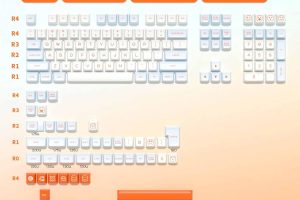 Salmon SA KeycapProduct on saleOriginal price was: ₹2,700.00.₹2,200.00Current price is: ₹2,200.00. ( incl. GST )
 -
 Bamboo Bear Keycap SetProduct on saleOriginal price was: ₹2,500.00.₹1,500.00Current price is: ₹1,500.00. ( incl. GST )
 -
 Poké Keycap SetProduct on saleOriginal price was: ₹2,500.00.₹1,500.00Current price is: ₹1,500.00. ( incl. GST )
 -
 SKYLOONG KEYCAPS SET₹3,000.00 ( incl. GST )
 -
 PBT Double Shot Keycap – Rainbow Sherbet₹5,299.00 ( incl. GST )
 -
 PBT Double Shot Keycap – Sunshine₹3,999.00 ( incl. GST )